Have a question?
- First, check the Frequently Asked Questions list below.
- If that doesn’t help, email support@soundnote.com. I try to respond to everyone, but it may take me a few days to get back to you.
Frequently Asked Questions
Everything I record is silent.
For privacy reasons, iOS sometimes disallows apps from using the microphone. Open iPad Settings -> Apps -> SoundNote and turn on the "Microphone" switch.
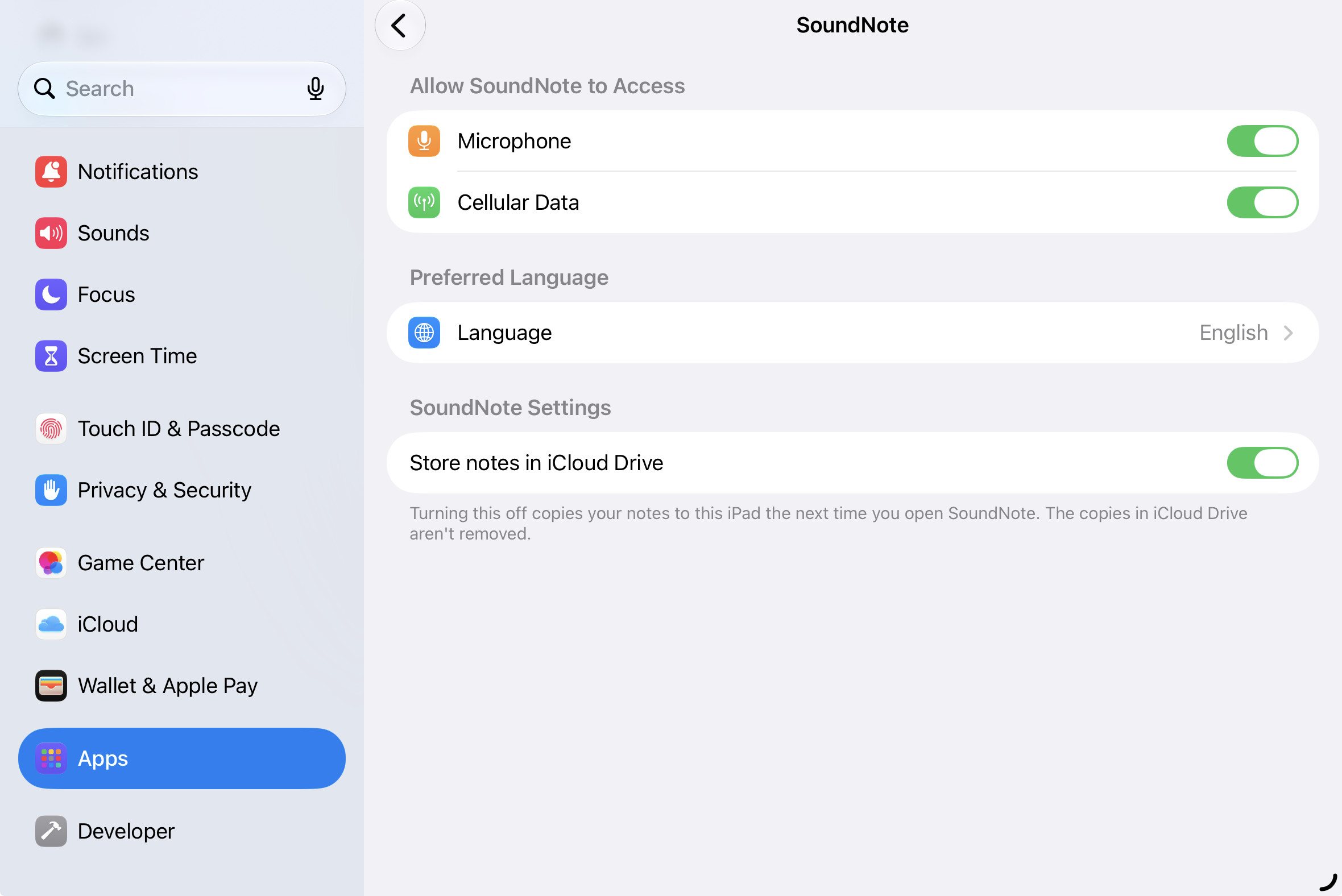
How do I use iCloud Drive?
With iPadOS 27 or later and SoundNote 3.0 or later, select the "Move to iCloud Drive" button at the bottom of the documents list. If this option doesn't appear, you can open iPad Settings -> Apps -> SoundNote and turn on the "Store notes in iCloud Drive" switch. To turn iCloud Drive off and copy your notes back to your iPad, turn off this switch and reopen SoundNote.
How do I transfer my SoundNote documents to a Mac, PC, or iPad?
In SoundNote 3.0 or later, the best way is to use iCloud Drive. You can also send SoundNote files and PDFs from the Share button at the top right of SoundNote. To copy files over USB, follow Apple's support guide to access the Files page, then select SoundNote.
Can I open SoundNote files on my Mac?
Yes! Get SoundNote from the Mac App Store, or download the free SoundNote Reader.
How do I use the drawing tools?
Drawn lines can be moved and deleted individually or as a group. Tap a line to select it, or tap twice to select an individual stroke. From there, you can drag it to wherever you want, or tap "Delete" to get rid of it. Use two fingers to zoom and scroll.